
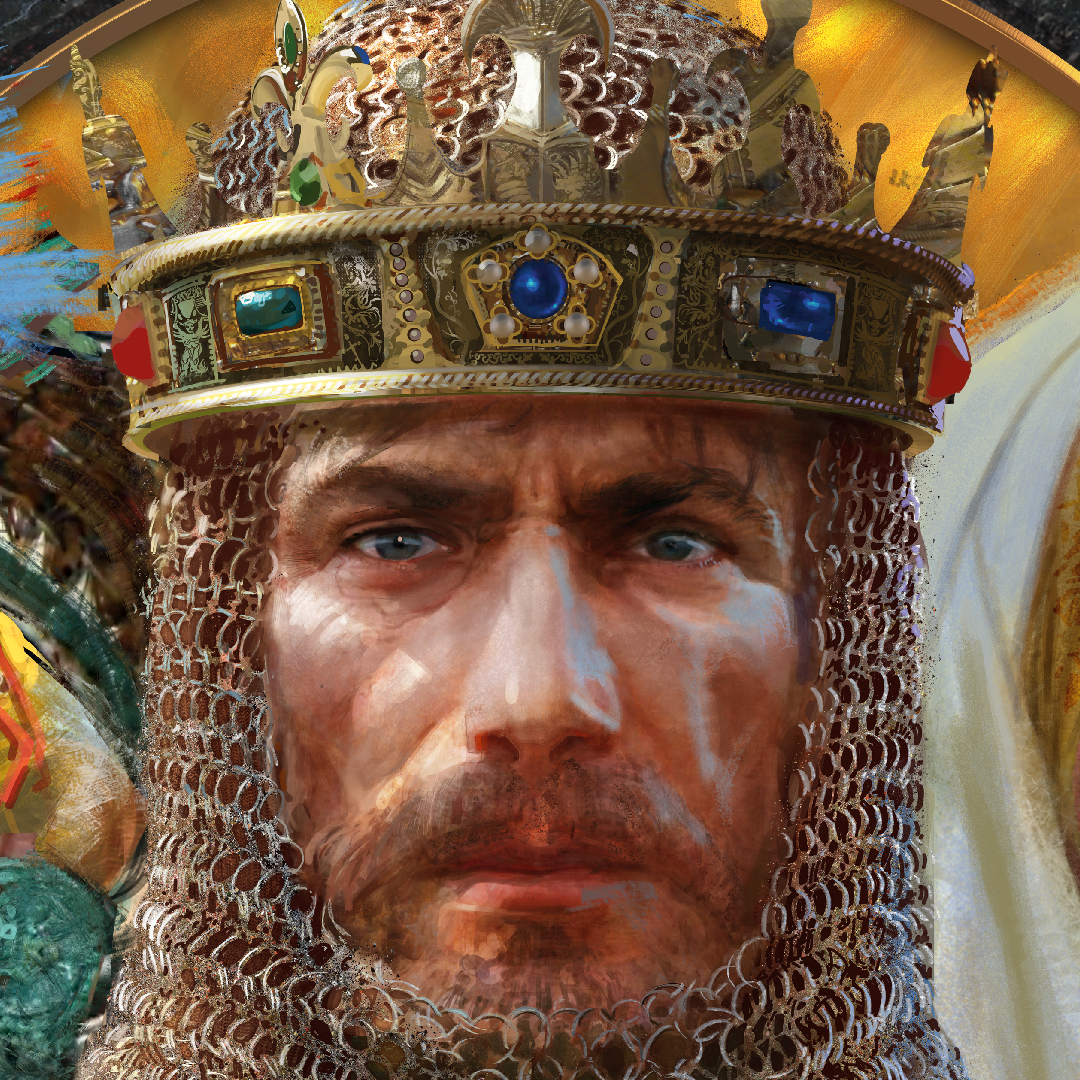

Welcome heroes to a very exciting update for Age of Mythology: Retold! In this release we have a new alternate portrait for Ame-no-Uzume, a mini-map size update for KBM users, matchmaking improvements, minor balance changes, and bug fixes, and of biggest note – updated Mod functionality to match the release of Heavenly Spear. So, get a sneak peek at the notes before jumping in game!
Thanks again to our amazing community members, all of whom have helped to make Age of Mythology: Retold a success thus far!
—The Age of Mythology Team
Remember that you’ll need to update your game in the Microsoft Store:
- Open the Microsoft Store.
- Click the [∙ ∙ ∙ ] symbol next to your profile picture.
- Select Downloads and updates.
- Press the Get updates button to automatically detect, download, and install the latest changes to your game!
- Open the game. The title screen should show you on Build 18.50572.
If you are unable to launch the game after downloading the update, make sure you add (or re-add) the Age of Mythology: Retold client or folder as an exception to your firewall and antivirus program.
That’s it; you’re ready to play!
Remember that you’ll need to update your game in Steam:
- Open Steam.
- Click on Library to see your games list.
- Click Downloads at the bottom of the Library window.
- [If the new build does not download automatically,] click the Download Now button to manually download the new update.
- Open the game. The title screen should show you on Build 18.50572.
That’s it; you’re ready to play!
Remember that you’ll need to update your game in the Xbox App for Windows.
- Open the Xbox app.
- Games that are installed show up on the left side of the app.
- Hover over the game or click it, and then select Update.
- [If the new build does not download automatically,] hover over the game, select More Options (…), choose Manage. Under the Files tab, choose the option to Check for Updates.
- Open the game. The title screen should show you on Build 18.50572.
That’s it; you’re ready to play!
- Under the games tab from the PlayStation Home Screen Locate the game and hover over it. Make sure not to select it!
- While hovering over the game press the Pause button (☰) on your controller.
- In the new pop up menu select the Check for Update option.
- If there is a new update available, this will automatically start the download. If your game is on the most recent version, selecting this option will confirm that information for you.
That’s it; you’re ready to play!
Please note that custom mods may not be compatible with the latest game update. If you are experiencing issues launching or playing the game after downloading the new build, try disabling your installed mods before trying again.
Still having trouble? Visit our support site!

Japanese God Portrait Updates
Many Japanese Major and Minor God Portraits have received minor tweaks to improve their quality!
We are also pleased to announce that an alternate ‘Shrine Maiden’ version of the Ame-no-Uzume Minor God Portrait is available to all players who own the Heavenly Spear DLC! The version that was present for launch remains the default appearance.


Reminder that you can use the Change Portrait button in either the Compendium or the God Picker to change Major and Minor God Portraits to your preferred appearance.


Where to change in the Compendium
Where to change in the God Picker
Keyboard and Mouse Minimap Update
You can now choose to cycle between three size states for the Minimap while playing with a Keyboard and Mouse, instead of the previous two states. The choice to enlarge the map bigger and better than before will give you more control to view it in your preferred way.
You can modify the size of the Minimap by using the Magnifying Glass icon in the bottom right of the Minimap. This button will toggle between the three different sizes.

You can modify the maximum size by adjusting the new “Max Minimap Scale” setting, located in the UI options. You can choose between a range of 120% and 200% scale. The default scale is set to 150%.

Max Minimap Scale Settings
The example below shows what this looks like when the Max Minimap Scale is set to 200%.


Default Size
Medium Size
Large Size

Developer Note: Reminder that Replays are not compatible between patch updates. Replays are not compatible because the simulation logic changes in ways that cause replays to no longer run synchronously with their original behaviors.
Stability & Performance
- Applied general stability improvements to enhance the engine, including updates to some third-party SDK versions used by the game.
- Fixed some rare multithreading-related situations where players could freeze or crash while running code in external libraries.
- Fixed general multithreading stability.
- Fixed an out-of-sync that could occur when watching Gauntlet mode replays from an enemy AI perspective.
- Fixed a crash that could occur when a player joins a multiplayer lobby at the same time as the other player leaves the lobby.
- Fixed a crash that could occur while updating particle effects in some rare situations.
- Fixed a crash that could occur while shutting down the game on PlayStation 5.
- Fixed a case where platform login could fail when switching between accounts.
- Fixes for platform login state.
- Improved thread safety when granting achievements on the Xbox platform.
- Minor performance improvements for Cinematics by fixing a bug that caused the Cinematic Preloader system to fail to preload all files it should have been loading.
- Fixed a rare case that could lead to a deadlock while processing unlocked rewards.
- Fixed a crash that could occur when trying to send chat messages in some situations.
Localization
- Updates to some translations to improve translation quality.
Graphics
- Fixed some Chinese plants to reference their correct Chinese assets.
- Minor improvement to cinematic quality by ensuring textures are preloaded ahead of when the renderer needs them.
- Minor visual polish to some assets.
- Fixed a bug that caused the hex grid map background in Gauntlet to reveal fully in some situations, such as when a pop-up with a new badge unlock was shown.
Audio
- Ship attack sounds no longer continue playing after the ship is destroyed while they are performing an attack.
- Minor adjustments to some audio.
Hotkeys
- Removed non-functional Find All Imperial Academies and Find Imperial Academy Hotkey entries. These are part of the Find Stable Hotkeys.
- Fixed some cases where new Japanese Pantheon Hotkeys were using the wrong string in the UI.
UI
- Fixed a bug that caused right-clicking on a selected building’s UI to set its Gather Point behind the UI.
- Added new loading screen tips for the Japanese Pantheon.
- Fixes for grammatical errors in some strings.
- Updated some strings to clarify where actions and technologies are applicable.
- Fixed an incorrect string for the Heavenly Barrage ability.
- The Attack Move cursor is now correctly displayed while holding shift, in situations where shift-clicking would add a valid waypoint for an Attack Move task.
- Fixed a bug that could have resulted in incorrect achievement unlock behavior in some situations.
- Emoji characters are now detected and shown as a replacement Unicode character if the game can not interpret them.
- The Titans that guard the Plenty Vault during King of the Hill-type matches in higher difficulty Gauntlet mode matches are now called “Titan Predator” units.
- Tooltips will no longer show as if hovered over a unit when the mouse is outside of the game window.
- Lifespan and HP bars are no longer displayed for unselectable units while the Alt key is held down.
- Fixed a bug that caused the Daily Celestial Challenge celebration pop-up to check for your progress before you were fully signed in, in some situations.
- Fixed a bug that prevented notifications about player reporting from showing after an action has been taken.
Controller
- Controller players can now use contextual X actions (Square on PlayStation 5) to Ungarrison from allied buildings.
- Fixed a bug where ungarrisoning from buildings could fail with a controller if an ally had garrisoned units in a building before you.
- Fixed a bug where the player color would show the building owner’s player color in the Garrison Radial Menu instead of the unit owner’s player color.
- Fixed a bug that caused Weak/Medium/Strong Magnetism strength modifiers, dependent on the type of unit, to always be treated as Strong.
- Fixed a bug that could cause the Unit Commands Radial Menu to also perform updates as if the Villager Priority menu was active when viewing it.
- Fixed some bugs that could occur when closing out of Radial Menus while viewing the Control Groups menu in some rare situations.

Fixes
- The Relic “Shen of Nekhbet” will no longer affect non-naval myth units.
- Fixed a case where an Army was moving incorrectly during a replay.
- Fixed a bug where building placement checks could be incorrect for Dock-type buildings when queried through the KB.
- Casting the “Great Hunt” God Power over animals that hold more food than the intended spawnable food limit will now correctly clone existing animals instead of spawning new animals.
- Forest Fire can no longer be cast over Gaia-owned units other than trees.
- Fixed a bug that could cause incorrect pathfinding to occur in some situations while performing a Gather-type unit action.
- Targets moving through lairs placed by the Spider Lair God Power are no longer stuck if they managed to escape before the attack is initiated.
- Tactic checks for Unit Action God Powers that perform self-targeting are now properly ignored. This change ensures that Quiongqis can perform their landing through the manual casting of the “land” ability as expected.
- Fixed a bug that allowed “Collect X Relics as Y Pantheon” to repeatedly eject and drop off the same Relic X times to complete this challenge type.
- Miko no longer appears as an idle villager.
- Smiting Gust can no longer throw Fenrir, the flaming wolf spawned using the Inferno God Power.
All Pantheon Changes


Myth Units
- Roc (Sobek): adjusted as follows:
- The cooldown for landing and takeoff has been removed.
- Hitpoints while landed have been increased from 600 → 700.
- While landed, the Roc now has an assigned Weight Class to ensure it behaves correctly with other units.
Technology
- Ballista Tower: Damage increased from +33% → +50%.

Buildings
- Crossbow Tower: Attack speed reduction reduced from -35% → -25%.

Major Gods
Amaterasu

- Bushido: Gold trickle rates per tier reduced by 0.5 per second.
- Solar Shield (God Power): duration reduced from 15 → 10 seconds.
Tsukuyomi

- Bushido: XP gained per favor spent on completed technologies increased from 1 → 5.
Developer Note: For example, a technology costing 100 food 15 favor went up from 115 → 175 bushido XP.
Susanoo

- Bushido: Passive XP earned from myth units increased by 2x.
- Kusanagi (God Power): adjusted as follows
- Cost reduced from 25 → 20 favor.
- Repeat cost reduced from +10 → +5 favor.
- Delayed water attack damage increased from 15 hack 10 crush → 25 hack 25 crush.
Minor Gods
Hachiman
- Golden Kite (Technology): adjusted as follows
- Ranged soldier & Hero damage increased from +10% → +15%.
- The +15% hero damage now also applies to Miko and Shogun.
- Dan-no-ura Tactics (Technology): Now applies to the Wasen, instead of the Ramming Wasen.
Developer Note: This change now ensures the icon accurately represents the unit to which the technology applies.
Takemikazuchi
- Divine Slash (God Power): Birth (windup) animation length reduced from 1.5 → 1 second.
Raijin
- Heavenly Barrage (Technology): Divine damage of Junkozosen reduced from 5 → 3.
Myth Units
- Tengu (Hachiman): Damage increased from 16 → 20 Hack.
- Shinigami (Watatsumi): adjusted as follows
- Special attack now has a 2x multiplier vs myth units.
- Special attack now has a 0.5x multiplier vs heroes.
- Reincarnated variants of the shinigami now also have +20% damage per stage, along with their increased hitpoints.
Other Units
- Deer Caravan: Gather rate increased from 0.7 → 0.8.
Naval Units
- Fishing Ship: Gather rate increased from 0.5 → 0.55.
Developer Note: The Cavavan and the Fishing Ship gather rates were lower than intended compared to other pantheons.
- Honengyo: The Torpedo special attack now only throws units up to a limited size class.

- Units can no longer walk through the Invisible Gate object. The Invisible Gate is used to control pathing in some campaign missions.
- Updates to improve the AI in:
- Pillars of the Gods 02.
- Pillars of the Gods 03.
- Pillars of the Gods 04.
- Pillars of the Gods 05.
- Pillars of the Gods 06.
- Pillars of the Gods 08.
- Pillars of the Gods 09.
- Fixed a bug that caused Houyi to repeat a line twice in quick succession in Pillars of the Gods 02.

General
- Fixed a bug that caused the DebugOutputGameData config to cause extremely long load times.
- Significantly improved the performance of DebugOutputGameData. Enabling this config will still increase your load time by approximately 1.2 seconds.
- +DebugOutputGameData will no longer output the SimData.xml file. If you also want to output this file, you will also need to enable the +DebugOutputGameDataLargeFiles config.
- When +DebugOutputGameDataLargeFiles is enabled, this will add up to another 2.7 seconds to loading screens.
- Added support for additive modding of ringmenucommandordering.xml. Additive modding will now correctly match nodes in this file. The ringmenucommandordering file determines which actions appear in the Radial Menu.
- Deprecated <TextureID> use in ProtoUnits.
- Added support for toggling specific ProtoAction flags through technologies and triggers.
void trProtounitActionSetFlag(int playerID, string unitTypeName, string actionName, string actionFlag, bool set): toggles the given flag for the provided proto unit action for this scenario only.- Added the above trigger function as a trigger in the Editor as “Protounit: Action Set Flag”.
- Extended modding support for the Veterancy system.
- Implemented support for assigning damage type-dependent modify Types (ArmorSpecific and DamageSpecific) to Veterancy ranks.
- Implemented support for adding Veterancy Ranks and modifying Veterancy include/exclude unitTypes through Tech effects.
- Extended supported modify types for Veteran Ranks, ensuring the following are properly handled: LOS, LOSFactor, Armor, ShieldRegenRate, and RegenRate.
void trProtounitVeterancyAddRank(string unitTypeName, int playerID, int rankTypeID, float value): adds a veterancy rank for the provided protoUnit for this scenario only.void trProtounitVeterancyBonus(string unitTypeName, int playerID, int rankID, int modifyType, int damageType, float delta, int relativity): adds or modifies a bonus entry for the given Veterancy rank for the provided protoUnit for this scenario only.- Trigger editor versions as “Protounit: Veterancy Add Rank” and “Protounit: Veterancy Bonus”.
- The DodgeChance modify type is now functional.
- Implemented support for modifying ProtoUnit spawn/replacement data through triggers.
void trProtounitModifySpawnData(string unitTypeName, int playerID, string spawnProtoName, int eventType, float delta, int relativity, float chance, float lifespan): sets or modifies spawn data for the given event for the provided unitType for this scenario only.void trProtounitModifyReplacementData(string unitTypeName, int playerID, string replProtoName, int eventType, float delta, int relativity): sets or modifies spawn data for the given event for the provided unitType for this scenario only.- Trigger editor versions as “Protounit: Modify Spawn Data” and “Protounit: Modify Replacement Data”.
- Added XS constants for spawn event types: cSpawnEventTypeDead, cSpawnEventTypeKilled, cSpawnEventTypeBirth, cSpawnEventTypeBuild, cSpawnEventTypeMutate, cSpawnEventTypeHit, cSpawnEventTypeHitGround, cSpawnEventTypeRevertToSocket, cSpawnEventTypeHitWater, cSpawnEventTypeSelfDestruct.
- Fixed a bug where querying the UnitStat Current Velocity using kbUnitGetStatFloat could return the Build Rate stat if the unit was not currently moving. Will now return 0.0f if this occurs.
- Fixed a bug where applying a DeadTransformBuildLimit ProtoUnit data effect would also apply a TurnRate data effect.
- Fixed a bug where triggering an EntityEvent CastPower during a Linear Area Attack Action could cause additional events to occur.
- Fixed a bug where checking the canActivate state of a Unit Charged Modify Action using a Terrain Type would also potentially incorrectly check for the Fully Charged status as if the activation type was a Charged Action Active type.
- Fixed a bug that could cause incorrect results when using kbUnitQuerySetMaximumDistance with a distance that exceeded a maximum safe float value.
- Fixed a bug that caused Tech effects using the Combined Type also to be treated as a Player type.
- Fixed a bug that caused applying a Player Action Add Data Effect also to try to apply as a Power ROF type effect.
- Fixed a bug that could cause AI defend plans to behave incorrectly when swapping to an attack state.
- Fixed a bug that could cause the selection manager to treat units’ carried resources as gold in some situations instead of their real current carried resource.
- UnitModify ProtoPowers with modifiers set to no stackable can now be cast as intended over an area without an actual unit target.
- Fixed some cases where Hit Effects using a terrain type would not work correctly for some movement types or those with multiple types, such as Titans.
- Fixed a bug that caused Chinese Forest, Cliff, and Water brushes to show up with incorrect textures in the UI while using the default version of the Editor.
Model System Modding Update
- Fixed a bug that only allowed the first occurrence of the “Export” button in the model conversion UI to function.
- Fixed some situations that could have resulted in a crash while exporting or while loading models with errors.
- Updates to Model System Modding documentation in the BANG documentation folder.
- Added information about new Editor tool features to “BANG documentation/ModelSystemModding_Documentation.pdf“.
- Added notes about expected FBX nodes for destruction to “BANG documentation/TMModel_Documentation.pdf“.
- Added new features, including:
- Added status text that displays after interacting with most buttons in the Model Convert UI to help represent the results of the interaction.
- More errors are now logged in mythlog.txt to help diagnose any issues you may encounter.
- Added a way to view the content of the logs as part of the Model Convert UI, making it easier to see more immediate results and debug output while in the game client.
- Added a helper button to purge all *.deps files from your local mod.
- Added a button to generate the SimData.xml file using content in a local mod. This feature will allow creators to generate the SimData_Generated.xml file and then copy any relevant data into their SimData_mods.xml file.
- Performance improvements to not update the mod directory states as frequently.
- Added a utility button to generate the model manifest for your local mod. This automatic generation will automatically exclude any override models that are already part of the base game’s model manifest.
- Added a button to open the folder directly to your local mod.
- Added a way to copy some helpful relative and absolute paths to the asset paths.
- You can find a new AdditiveUnitExample.zip file in game/art/ArtExamplesForModders.bar. This is an example mod that demonstrates the files required to create a mod that defines a new “examplearcher” unit, along with making it available for in-game training.
- Added a utility to scan for FBX files that are missing an associated FBX Import file. You can now use the associated Actions button to generate a default FBX Import file or use the copy paths options to navigate to the file.

Updated Model Convert UI

Investigation
As always, we are continuing to track issues reported by the community for future updates.
For other known issues, please visit this page to see what’s being tracked!
Coming Up…
Wow! It’s been an amazing and gratifying first week of the Heavenly Spear and Gauntlet (Beta) release for the team.
As much as you are enjoying the game’s expansion, we are enjoying watching the video reviews, posts, streams and memes, and seeing that the long hours of planning, execution and hard work have resulted in such a positive pay off. 😊 We deeply appreciate the time and thoughtfulness the community puts into these pieces of content and feedback. We also know there is always room for improvement, whether in balance tweaks or bug fixes, and so please know we are reading and listening.
Speaking of community response, the Pantheon Pin-Up turnout this month is absolutely on FIRE! Hats off to you all for the epic turnout and participation! Please let us know in the forums what you have enjoyed about this event and what you would like to see more of.
Coming up next, we will be focused on further balance items in the Japanese pantheon, as well as some initial tweaks for Gauntlet. After that, we would like to see community feedback over a slightly longer period as we determine and plan for any new potential updates for our current content…

DISCLAIMER
Please note that this list is subject to change and should not be considered a comprehensive list of all the known issues we’re tracking. The above is to inform you of the team’s current priorities, which will change as other issues arise or take precedence.
For the latest updates and announcements, please visit our social channels.